 |
ADSL Speed Test
|
Why Test your ADSL/DSL/Cable/Modem speed?
Simply to know actual download and upload speed when surfing web. It's important
to choose or evaluate an ISP (Internet Service Provider). Many speed test websites
calculate bandwidth via downloading and uploading a block data from their website.
However, you probably need to know speed when surfing other websites; then it
won't work.
Bandwidth Monitor offers a new way
to test ADSL/DSL/Cable/Modem speed. You can
directly see real-time download and upload speeds in graphic and text when you're
visit a website. And the software logs your bandwidth usage and alerts you when
it reaches a pre-set amount.
Please follow instructions below to test
ADSL/DSL/Cable/Modem speed.
- Free Download
the Bandwidth Monitor software
- Install Bandwidth Monitor by instructions
- Overview of main window of the software
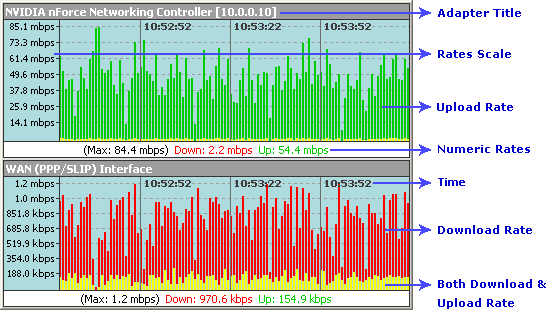
A column per second. So you can see all download and upload speeds in last X minutes
easily.
- Download test file from our website and view the download speed
- And you can also use a built-in traffic stopwatch to test speed
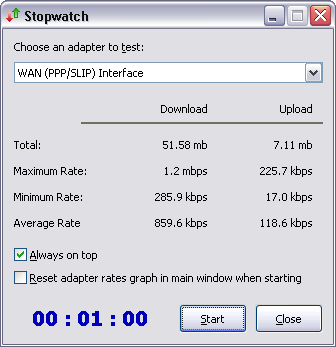
Choose an adapter/connection you want to test and then click on Start, then you
will see maximum, minimum, and average speeds.
- When going online you can see real-time download and upload speed easily
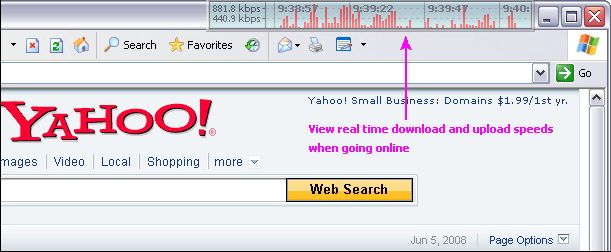
You can even enable click-through, so it appears like inexistence.
- View real time speeds on system tray
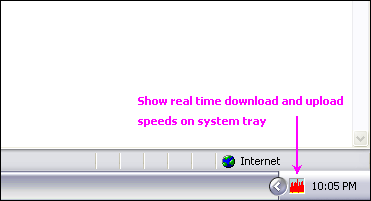
The feature is only available on Windows XP/2003/Vista/Windows 7.
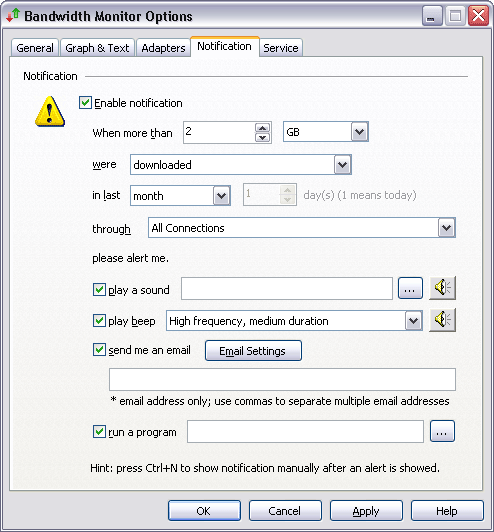
- The software will notify you when bandwidth usage exceeds a pre-set value
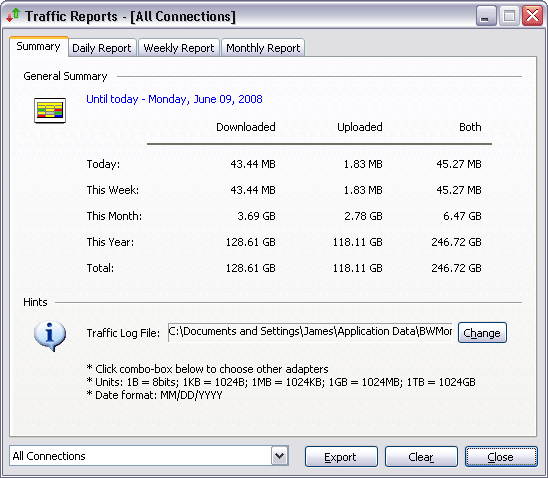
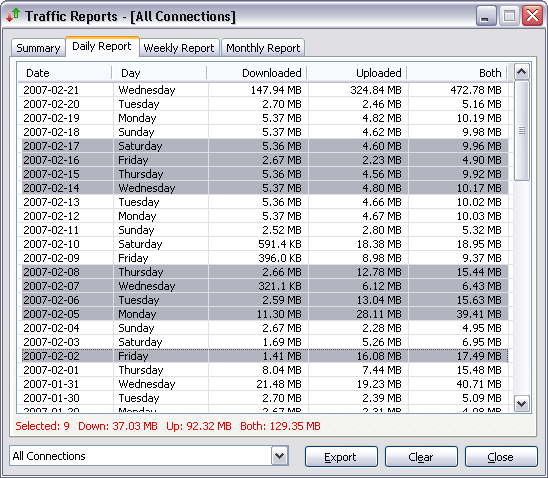
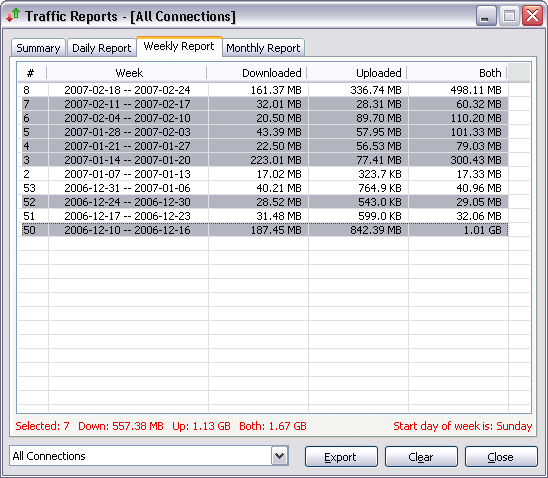
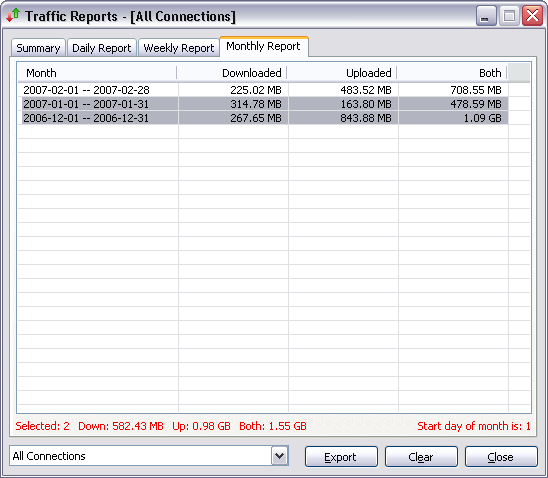
- Offers daily, weekly, and monthly bandwidth usage report
 Free Download Bandwidth Monitor
(1.16 MB)
Free Download Bandwidth Monitor
(1.16 MB)
What is ADSL?
Asymmetric Digital Subscriber Line (ADSL) is a form of DSL, a data communications
technology that enables faster data transmission over copper telephone lines than
a conventional voice band modem can provide. It does this by utilizing frequencies
that are not used by a voice telephone call. A splitter - or micro filter - allows
a single telephone connection to be used for both ADSL service and voice calls
at the same time. Because phone lines vary in quality and were not originally
engineered with DSL in mind, it can generally only be used over short distances,
typically less than 4km.
What is DSL?
DSL or xDSL, is a family of technologies that provides digital data transmission
over the wires of a local telephone network. DSL originally stood for digital
subscriber loop, although in recent years, the term digital subscriber line has
been widely adopted as a more marketing-friendly term for ADSL, which is the most
popular version of consumer-ready DSL. DSL can be used at the same time and on
the same telephone line with regular telephone, as it uses high frequency, while
regular telephone uses low frequency. Typically, the download speed of consumer
DSL services ranges from 256 kilobits per second (kbit/s) to 24,000 kbit/s, depending
on DSL technology, line conditions and service level implemented. Typically, upload
speed is lower than download speed for Asymmetric Digital Subscriber Line (ADSL)
and equal to download speed for the rarer Symmetric Digital Subscriber Line (SDSL).
What is Cable modem?
A cable modem is a type of modem that provides bi-directional data communication
via radio frequency channels on a cable television (CATV) infrastructure. Cable
modems are primarily used to deliver broadband Internet access in the form of
cable Internet, taking advantage of the high bandwidth of a cable television network.
They are commonly deployed in Australia, Europe, and North and South America.
In the USA alone there were 22.5 million cable modem users during the first quarter
of 2005, up from 17.4 million in the first quarter of 2004.
Top
|
